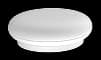

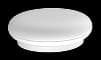
Room monitoring
Eline Radar
Contactless monitoring with mmWave radar. Connect Radar to your home Wi-Fi, assign it to a room, and follow its status and safety alerts in Eline.
Check in on home. Know what needs attention.
Care together, even when you’re apart.
One app. A closer connection.
Home status, safety alerts, and connected devices.
Everything in its right place.
See your home's safety status, connected devices, and household members in one place. Switch between homes without losing the picture.
Your home, at a glance
Meet the devices
Two ways to support everyday care.
One place to stay connected.
Room monitoring
Contactless monitoring with mmWave radar. Connect Radar to your home Wi-Fi, assign it to a room, and follow its status and safety alerts in Eline.

Wearable care
The wearable in the Eline family, designed to be worn by the person you care for. Explore the Vest setup guide from Add Device in the app.
Setup guide available. Vest scanning and pairing are still in development.
Getting started
Connect your home.
Then bring your family along.
Create your account, add a home and its rooms, or join a home with an invitation.
Open Add Device. Follow Radar’s Wi-Fi pairing flow, or explore the Vest setup guide while its connection flow is in development.
Invite the people who care, choose their access, and turn on the notifications you need.